A Decky Loader plugin
Use your Steam Deck as a Bluetooth controller.
Features
Standard pairing
The PC, phone, or tablet pairs with the Deck in its own Bluetooth settings, like any wireless controller.
Xbox layout
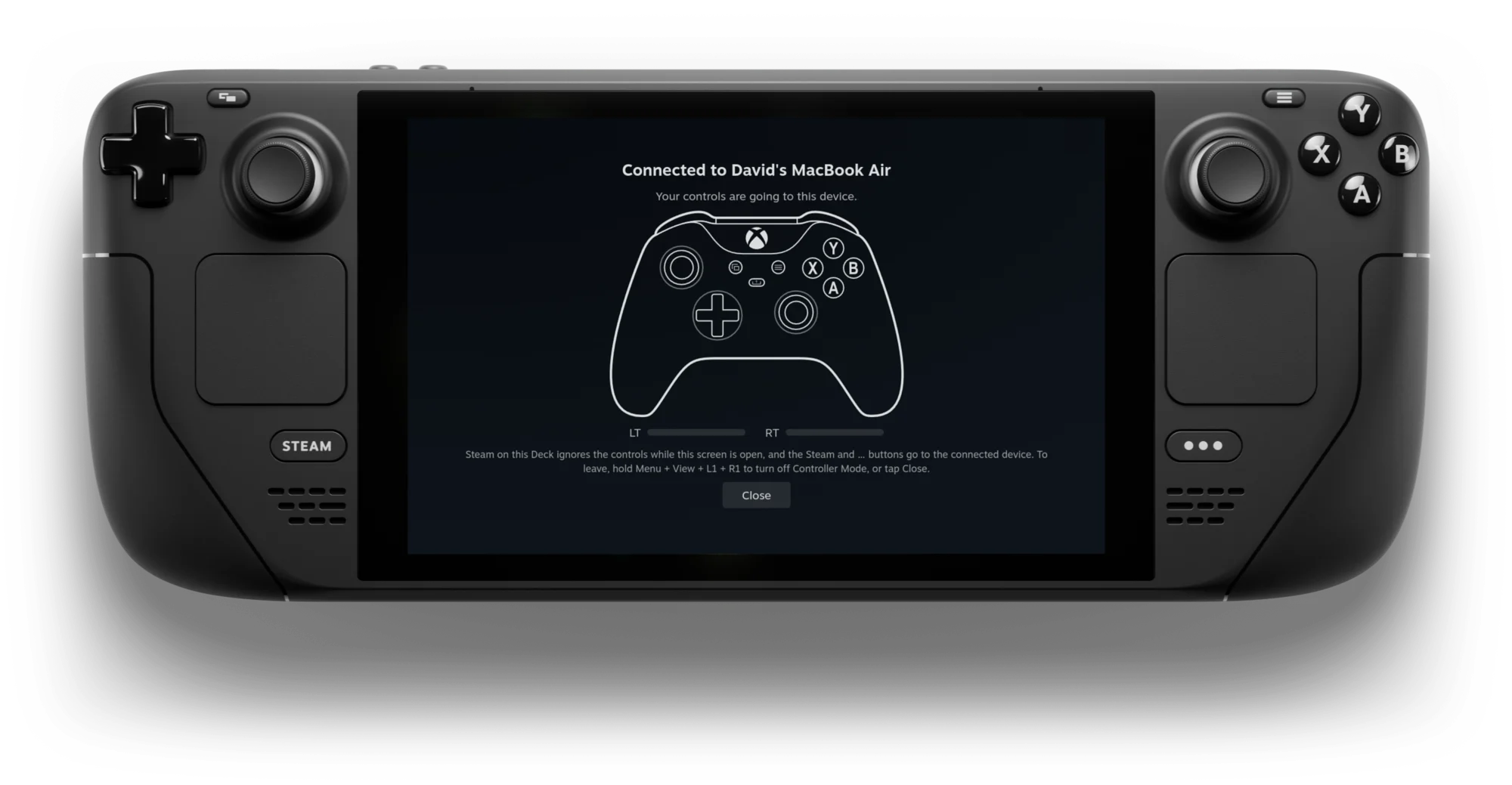
DeckPad presents itself as an Xbox Wireless Controller with face buttons, bumpers, analog triggers, both sticks, and the D-pad.
Controller Screen
A full-screen page that keeps Steam on the Deck from reacting to your presses and shows what the host receives.
Reconnecting
With Controller Mode on, a paired host reconnects without pairing again, by itself or when you select the Deck in its Bluetooth settings.
Quit Combo
Hold Menu + View + L1 + R1 to turn Controller Mode off from the controls. You can disable the combo if a game needs it.
Reversible
DeckPad's Bluetooth changes are made in memory and undone when Controller Mode turns off. SteamOS's files are left as they are.
In the Quick Access menu
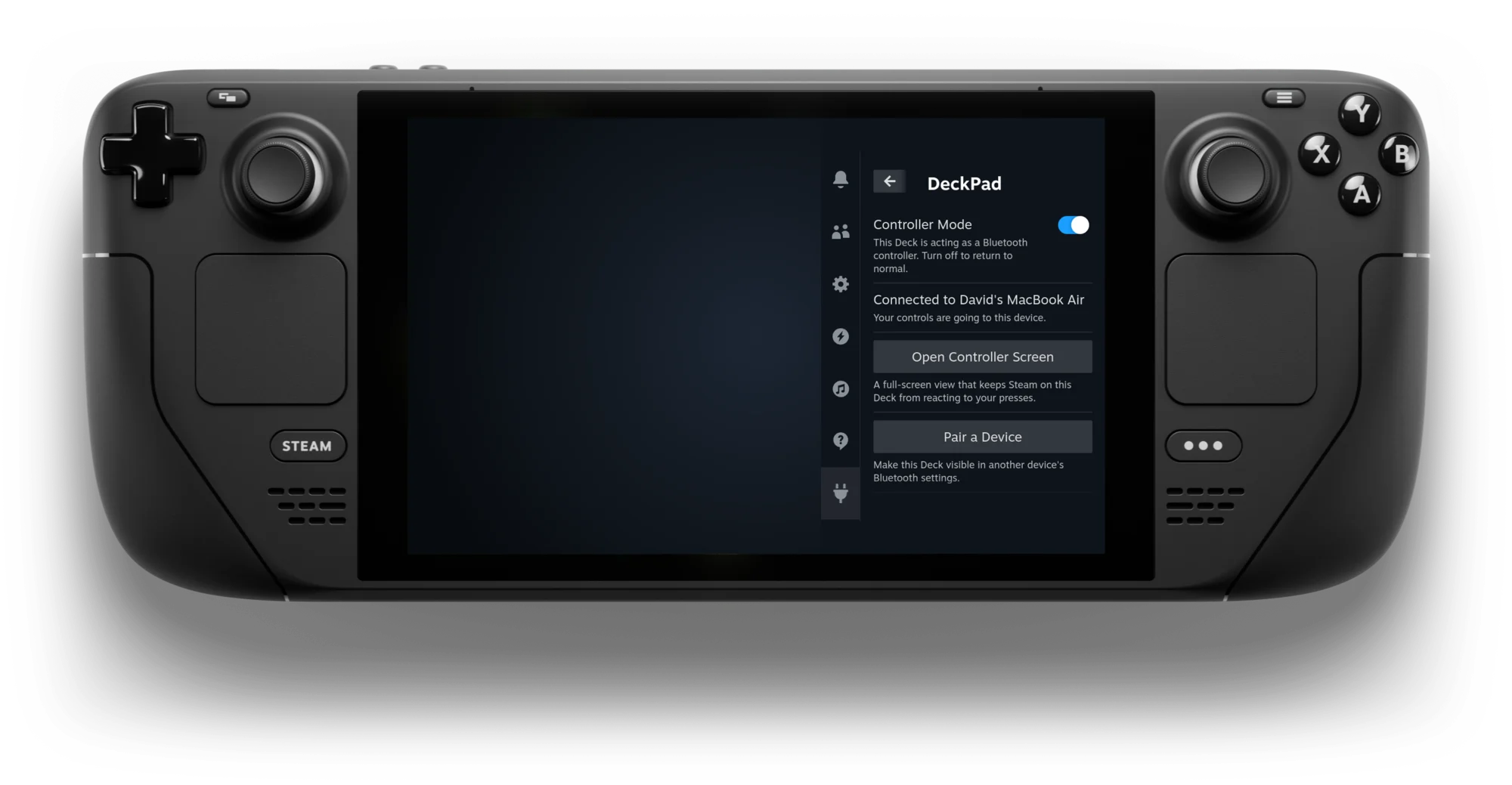
DeckPad runs from the Quick Access menu. Press the button on your Steam Deck, go to the tab, and open DeckPad. Turn on Controller Mode and select Pair a Device, then pick the Deck (steamdeck by default) in the other device's Bluetooth settings. The Deck stays visible for three minutes, and the panel shows when the host is connected.
Get started
DeckPad is not in the Decky Plugin Store yet, so install it from the zip. You need Decky Loader first.
Download DeckPad.zip Get Decky LoaderCopy the zip to the Deck. Turn on Developer mode in Decky's settings, then on the Developer tab select Browse next to Install Plugin from ZIP File and pick the zip.
FAQ
Does the other device need any software?
No, but it must support Bluetooth Low Energy game controllers (HID over GATT). Devices with only Classic Bluetooth cannot connect.
Which devices can I use it with?
DeckPad has been tested with a Linux PC, where it shows up as an Xbox controller. Windows, macOS, Android, iOS, and other hosts have not been tested yet. If you try one, please report the result in an issue.
Which controls are sent?
Face buttons, bumpers, analog triggers, both sticks and stick clicks, the D-pad, View, and Menu. The Steam button becomes the Xbox (Guide) button and the … button becomes Share. Rear buttons, trackpads, gyro, and rumble are not supported.
What does DeckPad change on my Deck?
DeckPad runs as root. While Controller Mode is on, it changes bluetoothd's DeviceID in memory so hosts see an Xbox controller, shortens the Bluetooth LE connection interval, and answers pairing requests. All of it is undone when Controller Mode turns off, and Controller Mode is always off after a reboot. Uninstalling removes only the pairings made through DeckPad and its own files. Full details.
Can I play a game on the Deck at the same time?
No. A game running on the Deck still receives the controls, so close it first. The Controller Screen keeps Steam's own menus from reacting while you play on the host.
Can I connect more than one device?
One at a time. You can pair several; the first one to connect is used. Known limitations.
Does it work with the Bluetooth plugin?
Yes. The Bluetooth plugin connects devices to the Deck; DeckPad works the other way round. You can install both.
The other device does not find my Deck. What now?
The Deck only shows up in other devices' scan lists while Pairing Mode is open, so select Pair a Device and scan again. If pairing fails, remove the Deck from the host's Bluetooth settings and retry. More in the troubleshooting guide.
How can I get help?
Expand Troubleshooting in DeckPad's panel to get a diagnostics report, then attach it when you open an issue on GitHub.